> For the complete documentation index, see [llms.txt](https://lite.guides.instadapp.io/llms.txt). Markdown versions of documentation pages are available by appending `.md` to page URLs; this page is available as [Markdown](https://lite.guides.instadapp.io/getting-started/getting-started-with-fluid-lite.md).
# Getting Started With Fluid Lite
Fluid Lite lets you earn higher yields on ETH, stETH, and USDC stablecoin using automated looping strategies, all managed for you in the background.
Fluid Lite is an all-in-one yield platform built on Instadapp’s DeFi Smart Layer, created to make earning optimized ETH and stablecoin yields simple for everyone. It brings advanced strategies, such as leveraged staking, automated yield optimization, and cross-protocol liquidity routing - into a single, easy-to-use interface, removing the need for deep DeFi expertise while maximizing capital efficiency.
## How Fluid Lite Works
You deposit your asset (USDC or ETH/stETH), and the vaults automatically boosts your yield by:
* Supplying your asset to lending markets.
* Borrowing against it.
* Swapping and re-depositing (looping).
* Auto-compounding
* Managing risk 24/7
No manual actions or active management required.
## How to use Fluid Lite
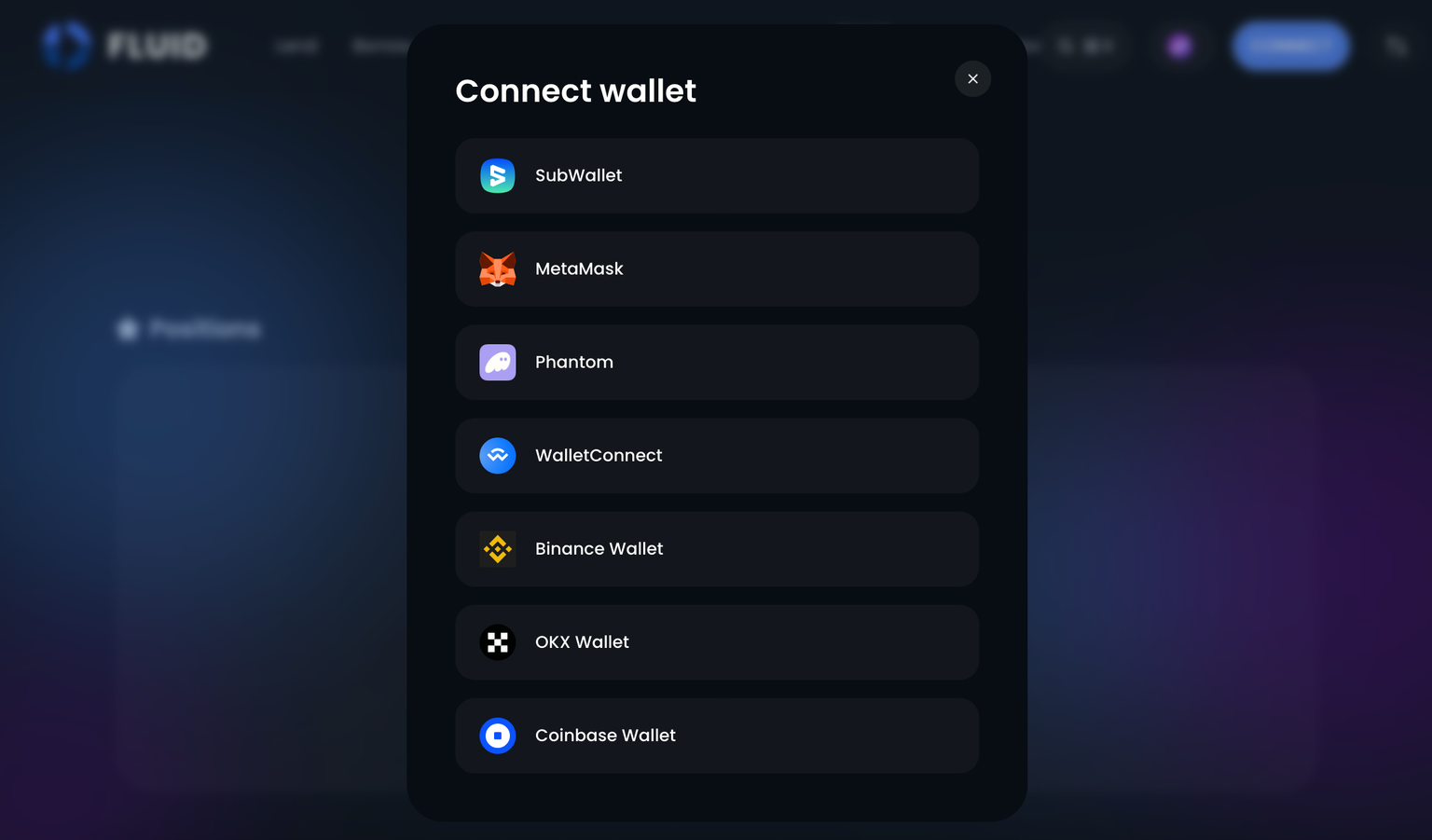
### 1. Connect Your Wallet
* Supports MetaMask, WalletConnect, Coinbase Wallet, Rabby, and more.
Connect with your Wallet Provider
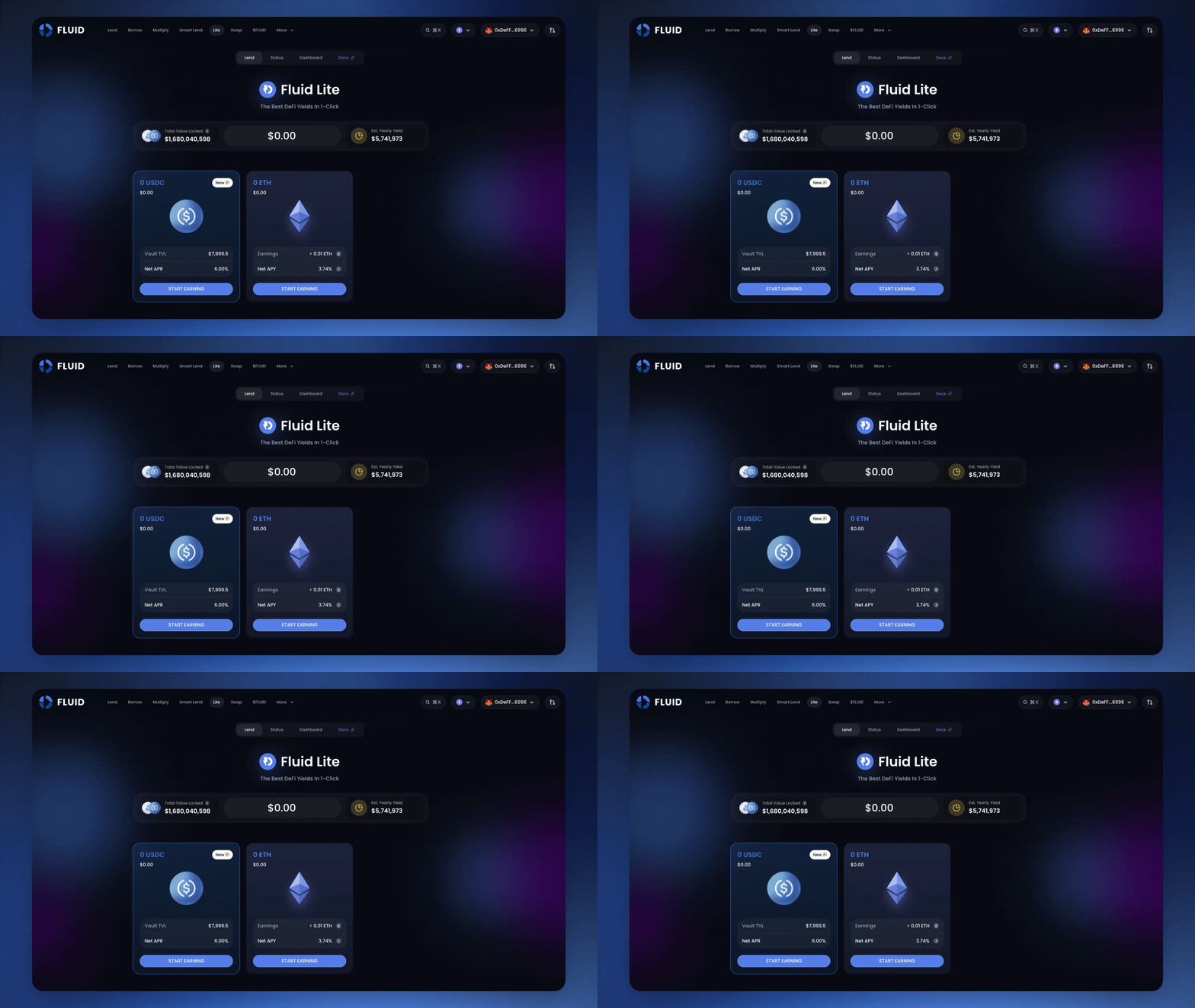
### 2. Choose a Vault
Select the vault for the asset you want to deposit (USDC or ETH/stETH).
Select your preferred vault (ETH or USDC) to begin earning
### 3. Deposit
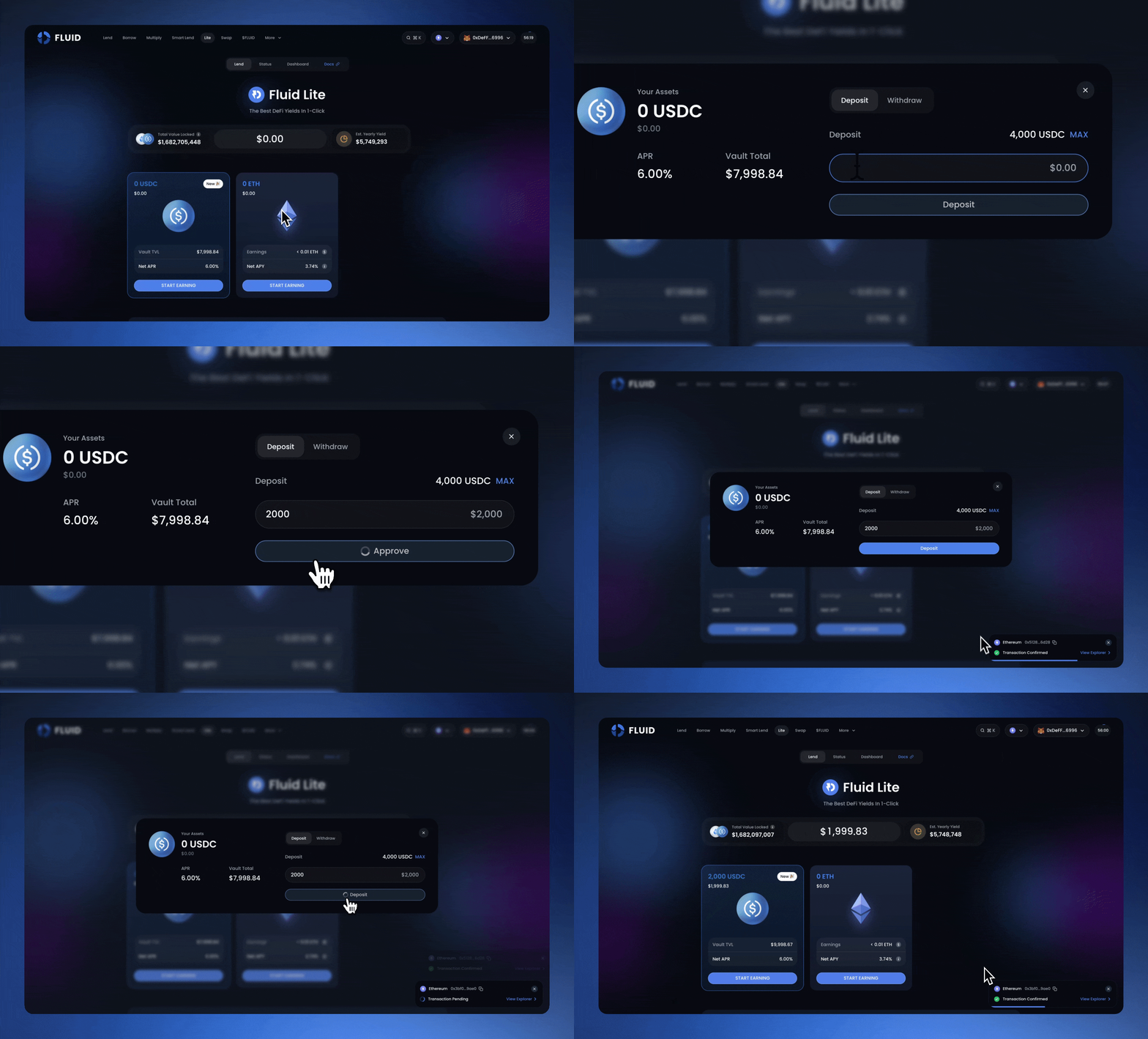
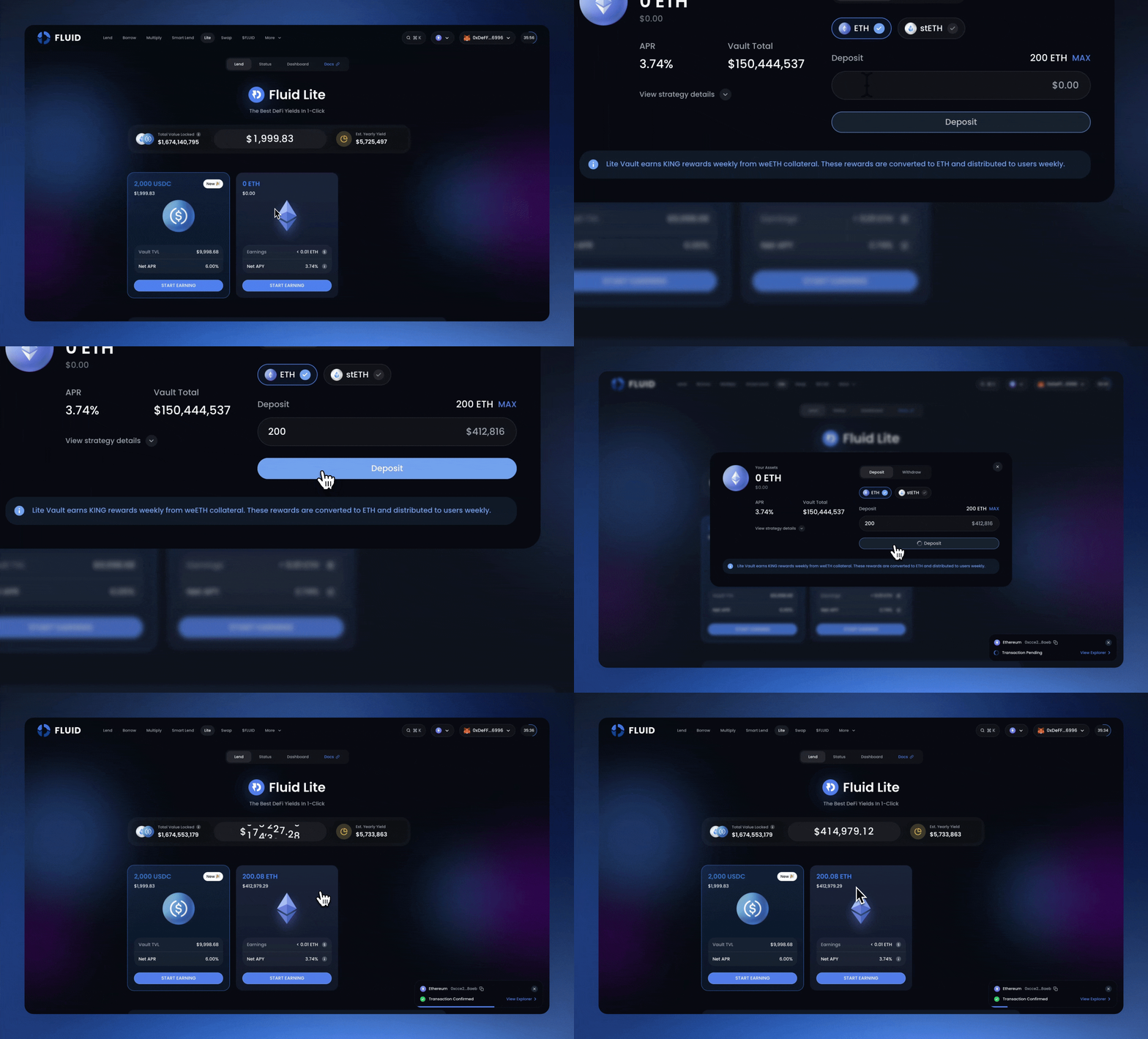
Follow these steps to deposit into a Fluid Lite vault :-
1. Select your preferred vault (**USDC** or **ETH**).
2. Click **Start Earning**.
3. Enter the amount you want to deposit.
4. Review the details and confirm the transaction in your wallet.
After the transaction is confirmed, you will receive vault receipt tokens (**fLiteUSD** or **iETHv2**) that represent your share in the vault.
Put your USDC to work
ETH staking made effortless. One click, top-tier yields
That’s it, your yield starts automatically **🎉**
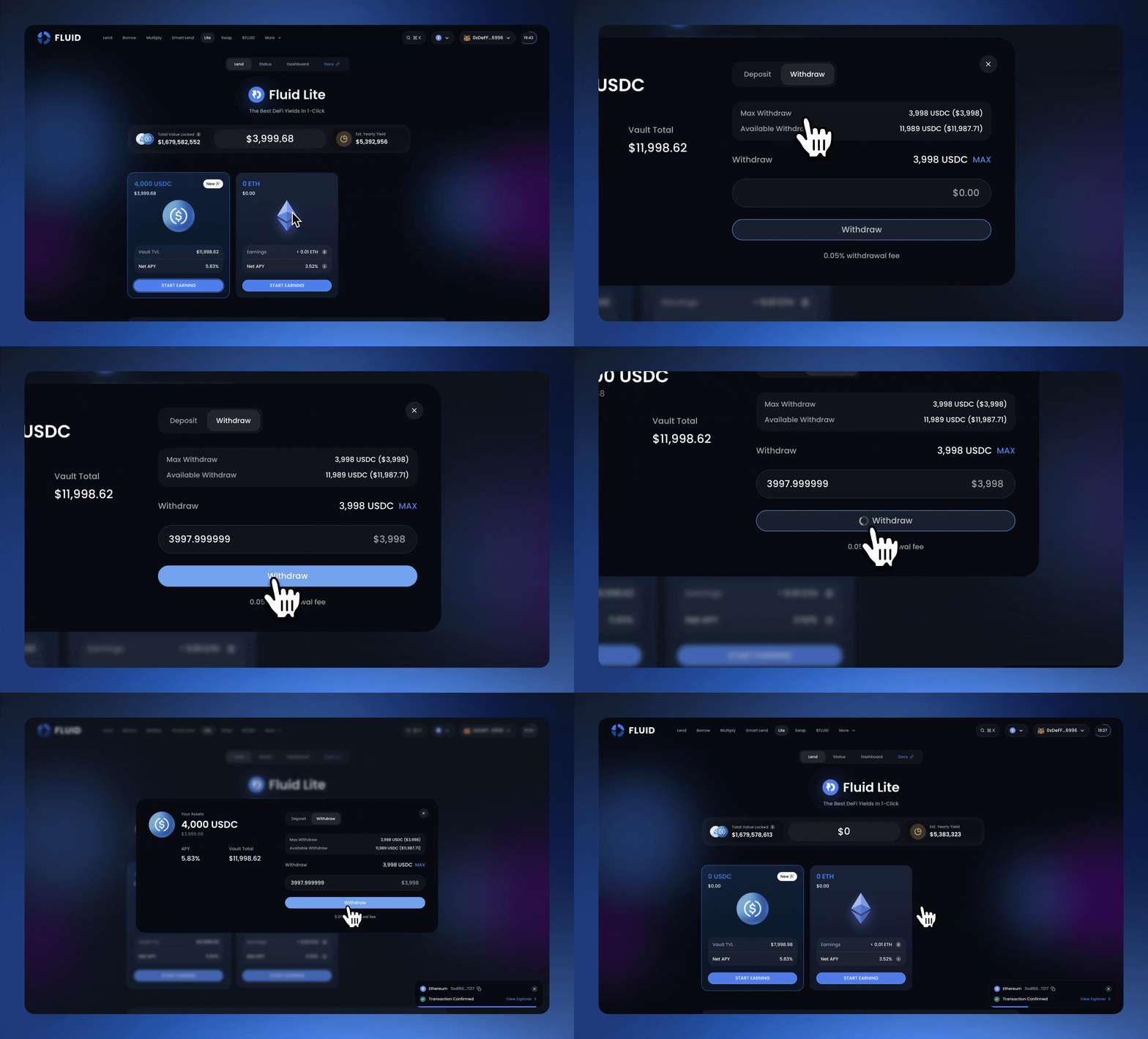
### 4. Withdraw
You can withdraw your funds at any time by following these steps :-
1. Select the vault you have deposited into.
2. Click **Withdraw**.
3. Enter the amount you want to withdraw (USDC or ETH/stETH).
4. Confirm the transaction in your wallet.
Withdraw your funds at any time, instantly
Once confirmed, your assets will be transferred back to your wallet.
{% hint style="info" %}
Fluid Lite charges a **0.05% exit fee**, which is directed to the DAO as protocol revenue.
{% endhint %}